
A technical deep-dive into enterprise-grade open source alternatives that passed the 15-year veteran test

Most people think they need to spend big on expensive SaaS tools to run their business.
I thought that too.
In 15 years in tech, I’ve seen countless “SaaS killers” appear and vanish. Most open-source alternatives promise you the world but end up delivering complex setups, terrible documentation, and hidden costs that often make them pricier than the paid options.
But occasionally, some rare gems genuinely deliver on their promise. These aren’t experiments or weekend hacks — they’re battle-tested, production-ready platforms trusted by Fortune 500 companies for critical workloads.
Here are 6 open-source tools that earned a real spot in my production stack, including honest cost analyses, realistic implementation timelines, and clear guidance on when to use — or avoid — them.
1. Supabase: The Firebase Killer That Actually Kills
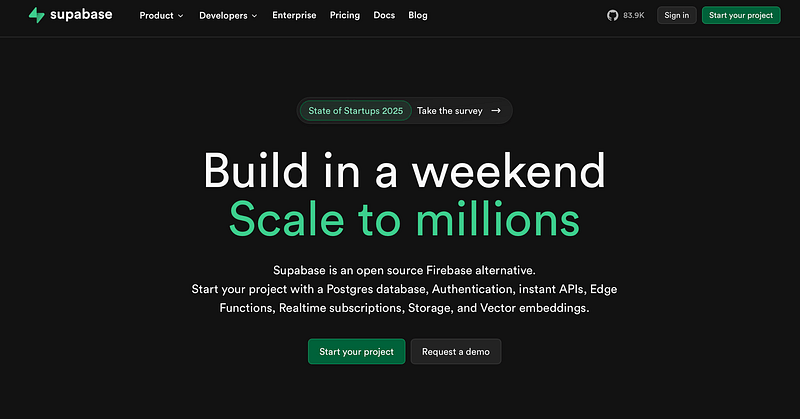
Replaces: Firebase, AWS Amplify, Railway
GitHub Stars: 83K+ (actively maintained)
Production Readiness: 9/10
Setup Complexity: Medium
Why It’s Actually Better Than Firebase
Supabase isn’t just “open source Firebase” — it’s what Firebase should have been. Built on PostgreSQL instead of NoSQL, it gives you real relational data with the convenience of a managed backend.
Core Features:
- Real-time Database: PostgreSQL with live subscriptions
- Authentication: Email, OAuth, magic links, row-level security
- Storage: S3-compatible file storage with automatic image optimization
- Edge Functions: Deploy serverless functions globally
- Auto-generated APIs: REST and GraphQL endpoints from your schema
Real Cost Comparison
Firebase (Google):
- Firestore: $0.06 per 100K reads, $0.18 per 100K writes
- Authentication: Free for most methods; Phone Auth charged per SMS
- Storage: $0.026 per GB/month
- Functions: $0.40 per million invocations
Supabase Self-Hosted:
- Database: $0 (PostgreSQL)
- Auth: $0 (built-in)
- Storage: Server costs only (~$20/month for 2GB RAM VPS)
- Functions: $0 (Deno runtime included)
Break-even point: ~1M database operations/month or moderate storage usage
Implementation Reality Check
Time to Production: 2–3 weeks for experienced teams
Required Skills: PostgreSQL basics, Docker (for self-hosting)
Maintenance Overhead: 2–4 hours/week for updates and monitoring
Real Success Story: Mobbin, a design inspiration platform with 400,000+ users, migrated from Firebase to Supabase and achieved:
- Instant resolution of authentication problems (duplicate login issues)
- Significant cost reduction by eliminating 5M+ monthly API requests
- Superior performance compared to their Firebase setup
- Improved data integrity with PostgreSQL’s strict validation
“Migrating to Supabase meant that we could instantly fix our Auth problems and save money… it really does feel like anything is possible for the future of our product” — Jian Jie Liau, CTO at Mobbin
-- Real-world example: User authentication with row-level securityCREATE POLICY Users can view own profile ON profiles
  FOR SELECT USING (auth.uid() = id);
When NOT to Use Supabase
- Your team has zero PostgreSQL experience
- You need sub-100ms global latency (Firebase wins here)
- Compliance requires vendor-managed infrastructure
- You’re building a simple prototype (Firebase free tier is generous)
2. Prometheus + Grafana: The Monitoring Stack That Scales
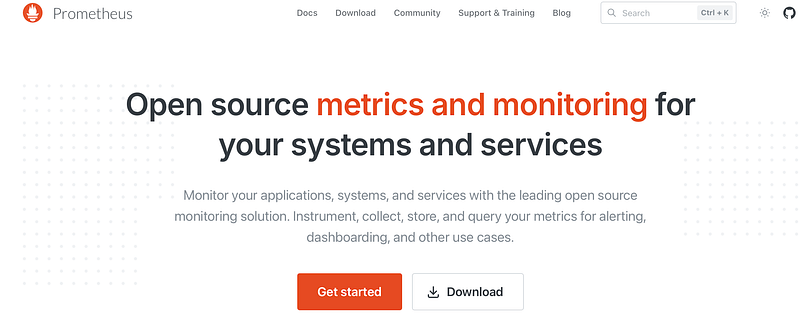
Replaces: DataDog, New Relic, Splunk
GitHub Stars: 58K+ (Prometheus), 68K+ (Grafana)
Production Readiness: 10/10
Setup Complexity: High
This isn’t a cute weekend project — Prometheus is a CNCF graduated project used by Google, Netflix, and every major cloud provider. It’s the de facto standard for modern infrastructure monitoring.
Architecture Advantages:
- Pull-based model: More reliable than push-based systems
- Time-series database: Optimized for metric data storage
- Powerful query language: PromQL lets you slice data like SQL
- Service discovery: Automatically finds and monitors new services
- Alerting: Built-in alert manager with routing and grouping
Real Cost Comparison
DataDog (100 hosts):
- Infrastructure monitoring: $15/host/month = $1,500/month
- APM: $31/host/month = $3,100/month
- Logs: $1.27 per million events
- Total: ~$5,000+/month for medium usage
Prometheus + Grafana (Self-hosted):
- Server costs: $200–500/month (depending on retention)
- Setup time: 40–60 hours initial investment
- Maintenance: 4–6 hours/week
- Total: ~$500–800/month including labor
Break-even point: 20+ monitored hosts or $2K+ monthly monitoring bill
Production Implementation
# prometheus.yml - Real production config snippetglobal:
  scrape_interval: 15s
  evaluation_interval: 15s
  external_labels:
    cluster: \'production\'
rule_files:
  - alert_rules.yml
scrape_configs:
  - job_name: \'kubernetes-pods\'
    kubernetes_sd_configs:
      - role: pod
    relabel_configs:
      - source_labels: [__meta_kubernetes_pod_annotation_prometheus_io_scrape]
        action: keep
        regex: true
Critical Alerts Setup:
- CPU usage > 80% for 5 minutes
- Memory usage > 85%
- Disk space < 10%
- Application error rate > 1%
The Hidden Complexity
What they don’t tell you:
- Storage planning is critical (1 billion samples = ~16GB)
- High availability setup requires 3+ instances
- Learning PromQL takes weeks for complex queries
- Grafana dashboard maintenance can become significant depending on complexity.
When NOT to Use Prometheus
- Team smaller than 5 developers
- You need zero-maintenance monitoring
- Windows-heavy environment (limited exporter support)
- Budget for DataDog/New Relic is under $500/month
3. PostHog: Product Analytics Without the Privacy Nightmare
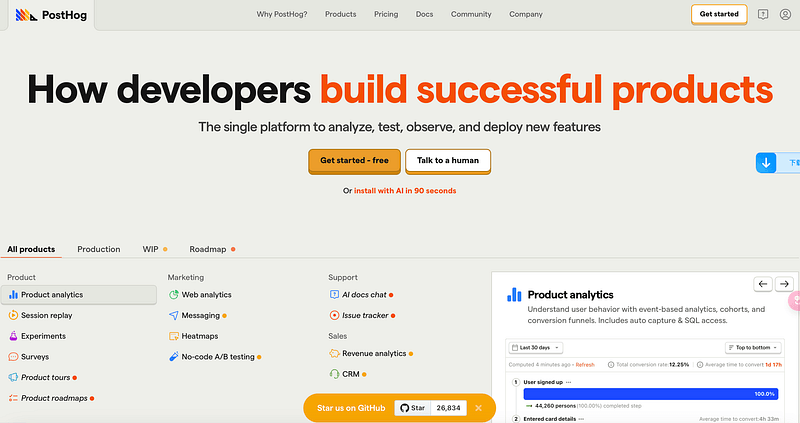
Replaces: Mixpanel, Amplitude, Hotjar
GitHub Stars: 26K+
Production Readiness: 8/10
Setup Complexity: Medium
Why PostHog Beats Traditional Analytics
PostHog combines product analytics, session replay, feature flags, and A/B testing in one platform. But the real game-changer is data ownership — your user data never leaves your infrastructure.
Core Capabilities:
- Event tracking: Custom events with properties
- Session replay: Watch user interactions (GDPR compliant)
- Feature flags: Progressive rollouts and A/B tests
- Cohort analysis: Understand user retention patterns
- Funnel analysis: Track conversion optimization
Real Cost Comparison
Mixpanel (Event-based pricing):
- Growth plan: Starting at $20/month (1M events free, then $0.00028/event)
- Enterprise: Starting at $1,667/month (custom volume pricing)
- MTU-based Enterprise: $20,000+/year (separate offering)
- Data export fees: Additional costs
PostHog Cloud vs Self-hosted:
- Cloud: $0.000325 per event (generous free tier)
- Self-hosted: Server costs only (~$100–300/month)
- Savings: 60–80% for high-volume applications
Implementation Deep-Dive
// Real tracking implementation
posthog.capture(\'purchase_completed\', {
  product_id: \'12345\',
  revenue: 29.99,
  category: \'subscription\',
  user_segment: \'enterprise\'
});
// Feature flag usageif (posthog.isFeatureEnabled(\'new-checkout-flow\')) {
  showNewCheckout();
} else {
  showOldCheckout();
}
Setup Timeline:
- Week 1: Basic event tracking
- Week 2: Session replay and funnels
- Week 3: Feature flags integration
- Week 4: Custom dashboards and alerts
Privacy-First Analytics
Unlike Google Analytics or Mixpanel, PostHog can be configured for complete GDPR compliance:
- No cookies required for basic analytics
- IP anonymization built-in
- User data stays in your region
- Easy right-to-be-forgotten implementation
When NOT to Use PostHog
- You need real-time analytics (has slight delay)
- Team prefers plug-and-play solutions
- Your app has <10K monthly users (free tiers elsewhere are generous)
- You need advanced machine learning insights
4. Dokku: Heroku Simplicity, VPS Pricing
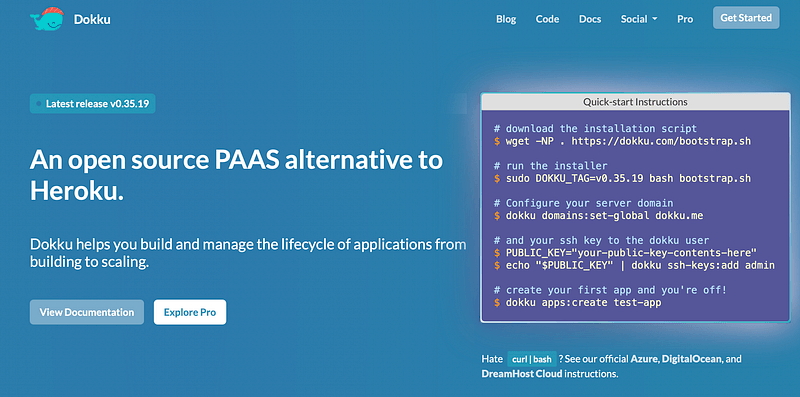
Replaces: Heroku, Railway, Render
GitHub Stars: 30K+
Production Readiness: 9/10
Setup Complexity: Medium
The $10,000/Month Heroku Bill Killer
Heroku is brilliant until you see the bill. A typical production app with database, Redis, and background workers costs $500–2000/month on Heroku. The same setup on Dokku costs $20–100/month.
What Dokku Provides:
- Git-based deployment:
git pushto deploy - Automatic SSL: Let’s Encrypt integration
- Add-on system: PostgreSQL, Redis, Elasticsearch via plugins
- Zero-downtime deploys: Built-in load balancing
- Process scaling: Horizontal scaling with simple commands
Real Cost Analysis
Heroku (Typical Production App):
- 2x Standard-1X dynos: $50/month
- Essential-0 Postgres: $5/month
- Key-Value Store Mini: $3/month
- Total: $58/month minimum (basic production setup)
Dokku (Same configuration):
- VPS (4GB RAM, 2 CPU): $20/month
- Setup time: 4–8 hours
- Maintenance: 1–2 hours/month
- Total: $20/month + minimal time investment
Real ROI: $456 annual savings for basic production app
Production Setup Guide
# Initial server setup (Ubuntu 20.04+)
wget <https://raw.githubusercontent.com/dokku/dokku/v0.30.0/bootstrap.sh>
sudo DOKKU_TAG=v0.30.0 bash bootstrap.sh
# Create app and configure domain
dokku apps:create myapp
dokku domains:add myapp myapp.com
# Setup database
dokku plugin:install <https://github.com/dokku/dokku-postgres.git>
dokku postgres:create myapp-db
dokku postgres:link myapp-db myapp
# Deploy from git
git remote add dokku dokku@myserver.com:myapp
git push dokku main
Battle-Tested Plugin Ecosystem
Essential plugins for production:
dokku-postgres: PostgreSQL managementdokku-redis: Redis caching layerdokku-letsencrypt: Automatic SSL certificatesdokku-maintenance: Maintenance mode pagesdokku-backup: Automated database backups
The Operational Reality
What you gain:
- Complete control over infrastructure
- Significant cost savings (60–90%)
- No vendor lock-in
- Custom configuration flexibility
What you lose:
- 24/7 managed service support
- Automatic security patches
- Built-in monitoring and alerting
- Compliance certifications
When NOT to Use Dokku
- Your team has no Linux/DevOps experience
- You need guaranteed 99.9% uptime SLAs
- Compliance requires managed infrastructure
- You deploy multiple times per day (CI/CD setup required)
5. Nextcloud: Enterprise File Storage That You Own
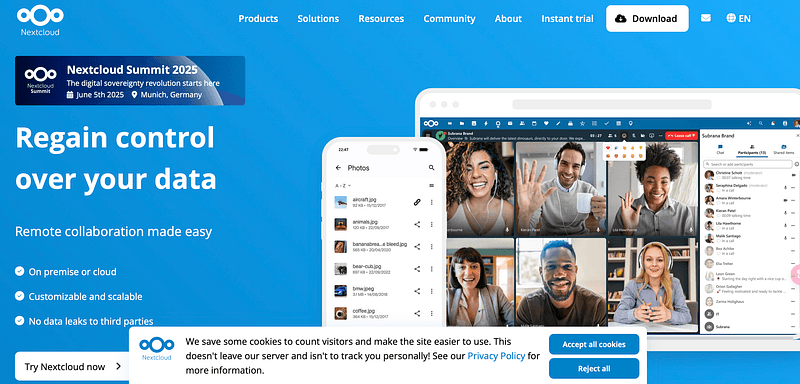
Replaces: Google Drive, Dropbox Business, OneDrive
GitHub Stars: 29K+
Production Readiness: 9/10
Setup Complexity: Medium-High
Why Enterprises Choose Nextcloud
Nextcloud isn’t just file storage — it’s a complete collaboration platform trusted by German government, Dutch educational system, and 400+ million users worldwide.
Enterprise Features:
- File sync and share: Cross-platform clients
- Online collaboration: Document editing, comments, version control
- Video conferencing: Built-in Jitsi integration
- Calendar and contacts: CalDAV/CardDAV compliance
- Security: End-to-end encryption, SAML/LDAP integration
Real Cost Analysis
Google Workspace (100 users):
- Business Standard: $14/user/month = $1,400/month
- Storage: 2TB pooled storage per user
- Annual cost: $16,800
Nextcloud Self-hosted:
- Server costs: $200–500/month (depending on storage)
- Setup: 20–40 hours initial investment
- Annual cost: $3,000–6,000 including labor
- Savings: 64–82% with complete data ownership
Production Architecture
# docker-compose.yml for high-availability setupversion: \'3\'
services:
  nextcloud:
    image: nextcloud:apache
    restart: always
    volumes:
      - nextcloud:/var/www/html
      - ./data:/var/www/html/data
    environment:
      - POSTGRES_HOST=db
      - REDIS_HOST=redis
    depends_on:
      - db
      - redis
db:
    image: postgres:13
    restart: always
    volumes:
      - db:/var/lib/postgresql/data
    environment:
      - POSTGRES_DB=nextcloud
  redis:
    image: redis:alpine
    restart: always
Security and Compliance
Built-in security features:
- Two-factor authentication
- Brute force protection
- File access control
- Audit logging
- End-to-end encryption for files
Compliance capabilities:
- GDPR compliance tools
- Data retention policies
- Legal hold functionality
- User data export/deletion
The Implementation Timeline
Week 1–2: Basic installation and user migration
Week 3–4: Advanced features (SSO, mobile apps)
Week 5–6: Customization and training
Week 7–8: Monitoring and backup setup
Common pitfalls:
- Underestimating storage I/O requirements
- Poor SSL configuration causing sync issues
- Inadequate backup strategy
- Insufficient user training on new workflows
When NOT to Use Nextcloud
- Your team is already deeply integrated with Google/Microsoft ecosystem
- You need seamless real-time collaboration (Google Docs still wins)
- Technical team can’t commit to ongoing maintenance
- Regulatory requirements mandate specific cloud providers
6. n8n: Workflow Automation That Actually Works
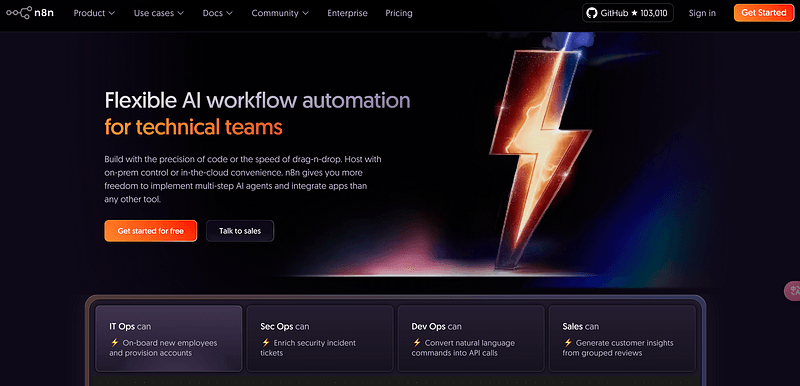
Replaces: Zapier, Microsoft Power Automate, Integromat
GitHub Stars: 100K+
Production Readiness: 8/10
Setup Complexity: Low-Medium
Beyond Simple “If This Then That”
n8n isn’t just another workflow automation tool — it’s a visual programming environment that can handle complex business logic, data transformations, and multi-step processes that would cost thousands in Zapier credits.
Advanced Capabilities:
- Visual workflow builder: Node-based interface
- 200+ integrations: APIs, databases, SaaS tools
- Custom code execution: JavaScript and Python support
- Conditional logic: Complex branching and decision trees
- Data transformation: Built-in data manipulation tools
Real Cost Comparison
Zapier (2025 pricing):
- Professional: $19.99/month (tasks start at 750/month, then paid tiers)
- Team: $69/month (team collaboration features)
- Enterprise: Contact sales (enterprise features and higher task limits)
n8n Self-hosted:
- Server costs: $20–50/month
- Unlimited workflows and executions
- Annual savings: Varies significantly based on task volume; heavy users can save $1,000–5,000+ annually
Production Workflow Examples
// Real customer onboarding automation// 1. New user signs up (webhook trigger)// 2. Create user in CRM// 3. Send welcome email sequence// 4. Add to Slack channel// 5. Create task for account manager// Advanced data transformation exampleconst customerData = $node[CRM].json;
const enrichedData = {
  ...customerData,
  segment: calculateCustomerSegment(customerData.revenue),
  riskScore: assessCreditRisk(customerData),
  nextContactDate: addDays(new Date(), 7)
};
return enrichedData;
Enterprise-Grade Features
High availability setup:
- Redis for queue management
- PostgreSQL for workflow storage
- Load balancer for multiple instances
- Monitoring and alerting integration
Security considerations:
- OAuth2 authentication
- Role-based access control
- Webhook authentication
- Encrypted credential storage
Implementation Strategy
Phase 1 (Week 1–2): Replace simple Zapier workflows
Phase 2 (Week 3–4): Complex multi-step automations
Phase 3 (Week 5–8): Custom integrations and error handling
Success metrics:
- 40–60% reduction in manual tasks
- 80–90% cost savings vs Zapier
- Improved data consistency across systems
When NOT to Use n8n
- Your automation needs are very simple (<5 workflows)
- Team has no technical background for troubleshooting
- You need guaranteed 99.9% uptime for critical workflows
- Compliance requires vendor-managed automation
Conclusion:
Most people think they have to choose between expensive SaaS or complicated open-source alternatives. I thought that too.
But these 6 tools represent hundreds of thousands of hours of real-world development and testing. They’re not science experiments — they’re reliable, production-ready options that can genuinely replace expensive SaaS subscriptions.
Let’s be honest: Self-hosting isn’t “free.” It demands technical expertise, regular maintenance, and ongoing operational overhead. But for teams with the right skills and scale, the payoff — in cost savings, control over your data, and unmatched customization — is more than worth the effort.
Here’s what you should do first: Start with one tool — just one — that tackles your biggest pain point. Master it completely: monitoring, backups, operations, everything. Once you’ve nailed it, then (and only then) consider adding another tool to your stack.
Because the future isn’t about picking sides between SaaS and open source — it’s about using the right tool for each specific need, and building the skills and infrastructure to back your choices.
You don’t have to do it all at once. You just need to start.
Have you successfully made the switch from pricey SaaS to powerful open-source tools? Share your story in the comments — I’d love to hear about your experience!