
Have you ever wondered how to turn your simple idea into a fully functional website within just a few hours? You’re about to find out!
In my previous article, I showed how I built my first static site of 2025 in just five minutes using Bolt.new.
But that was just the beginning.

In this detailed guide, I’ll walk you through exactly how I transformed that simple, simulated domain-generation demo into a complete, live website, backend included. It took me roughly 3 hours, and I’ve clearly documented each step so you can effortlessly replicate the entire process yourself.
Let’s get started!
After building the static page with Bolt.new, the domain generation functionality was initially simulated. You can refer to my previous article here:
https://vencoding.medium.com/how-i-built-my-first-website-of-2025-with-ai-for-5-minutes-0d81737bcda1
The next step is designing a real backend to handle frontend requests and enable complete functionality.
Luckily, the backend can also be generated using Bolt.new. As a backend developer, I could certainly write this myself, but to explore the limits of Bolt.new, I let it handle the backend code generation.
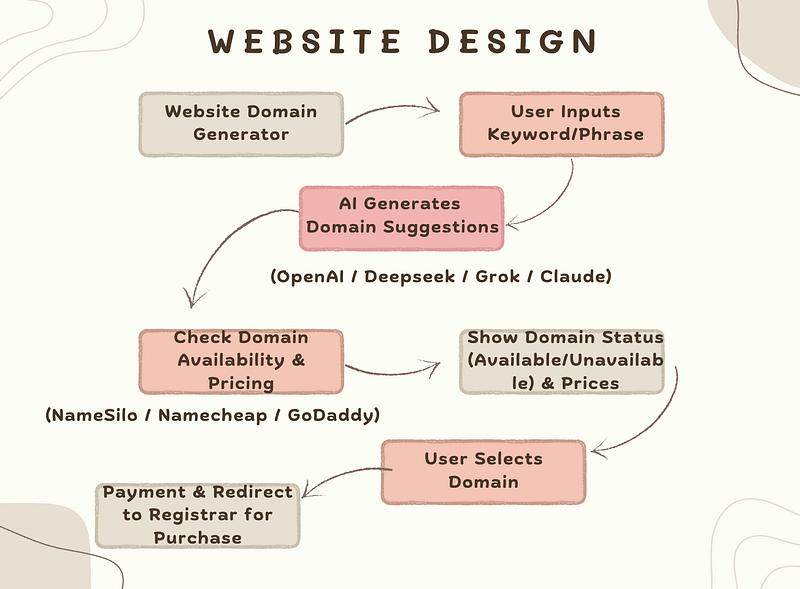
Step 1: Domain Generation
This functionality breaks down into two main parts:
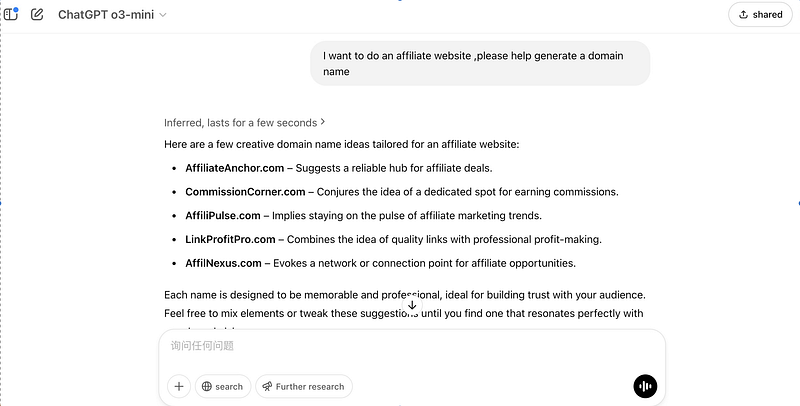
- Generate Domains from User Input:
Users input a niche or description, and the backend generates relevant domain suggestions via popular AI APIs.
2. Check Domain Availability and Pricing:
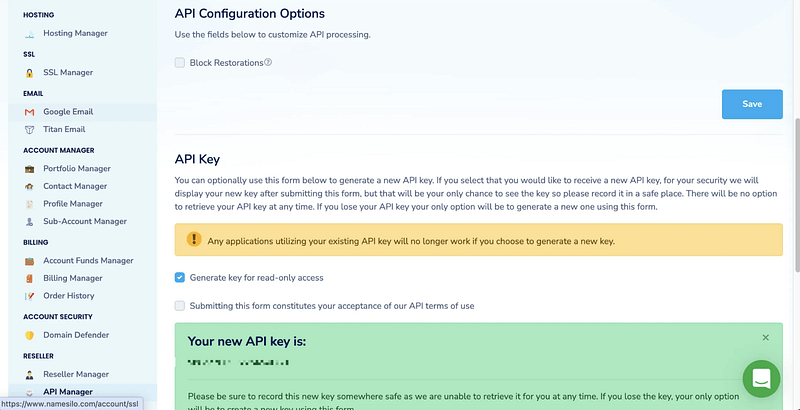
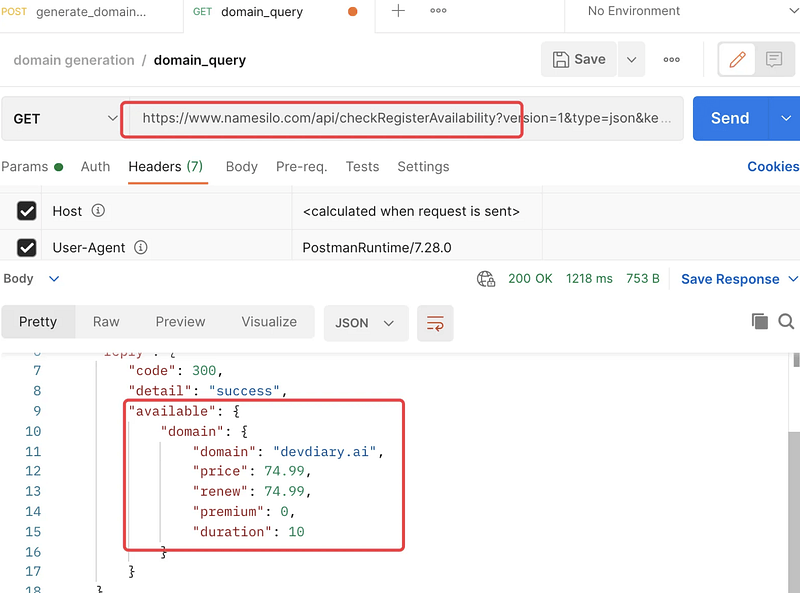
Check domain availability, including registration and renewal pricing, helping users quickly identify the most suitable domains. This can be done by calling a domain registrar’s API. I regularly use NameSilo, and I’ve successfully activated their API, as shown below:
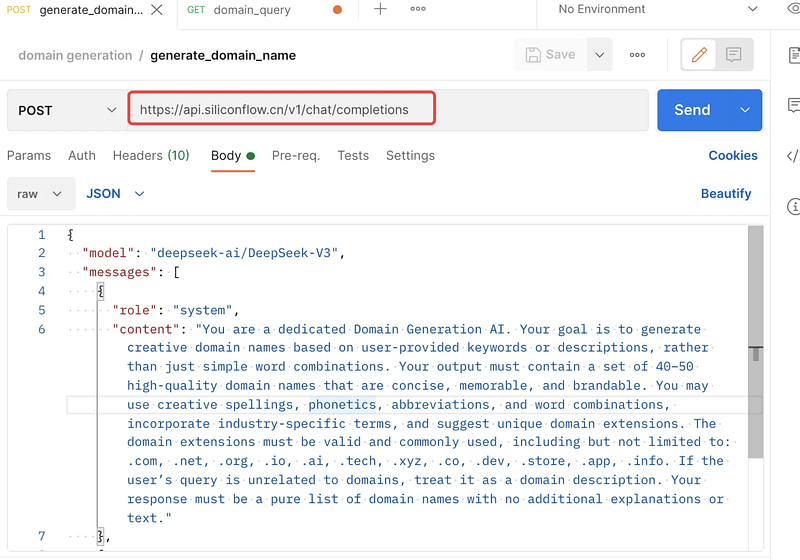
Here’s how an API call would look:
You will first need to apply for the two APIs:
- Large Language Model API: Options include OpenAI, Deepseek, Grok, and Claude. I’m using Deepseek’s API for this project, but feel free to choose your preferred provider.
- Domain Registrar API: You can select popular domain registrars like Namecheap , GoDaddy, and others.
After successfully obtaining these APIs, we can transfer the task back to Bolt.new to continue development.
Step 2: Backend Integration
This time, I sent a detailed request to Bolt.new to replace the simulated backend functionality with the APIs I had just obtained and generate the corresponding backend code.
Here’s an important tip: the more precise your instructions, the closer the generated functionality will align with your expectations. To achieve this precision, I provided Bolt.new with detailed API request parameter formats and response result formats.
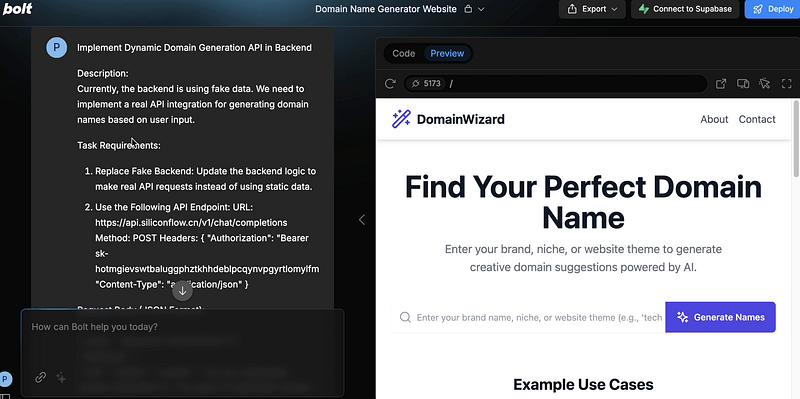
Here’s exactly what I did:
I inputted clear requirements into Bolt.new to help me implement a backend API that dynamically generates domain names, explicitly stating that the current backend used fake data and now needed integration with a real API that generates domains based on user input.
I then divided the task into several clear steps:
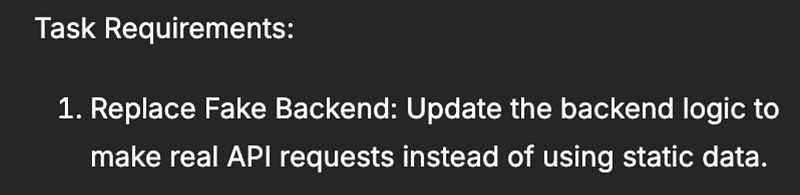
- Replace the fake backend code: Update backend logic to use real APIs instead of static data.
2. Integrate the following API endpoint URL.
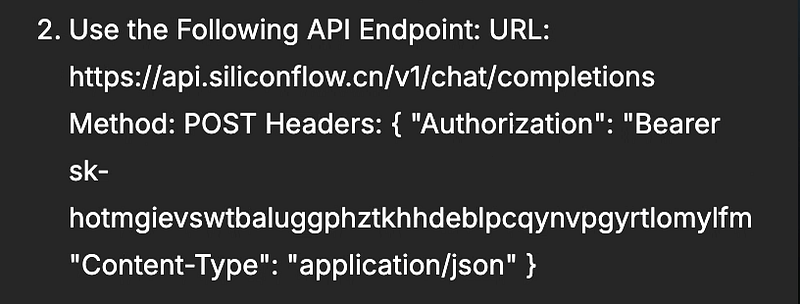
Clearly specify the request body format ,mentioning that I’m using the Deepseek model.
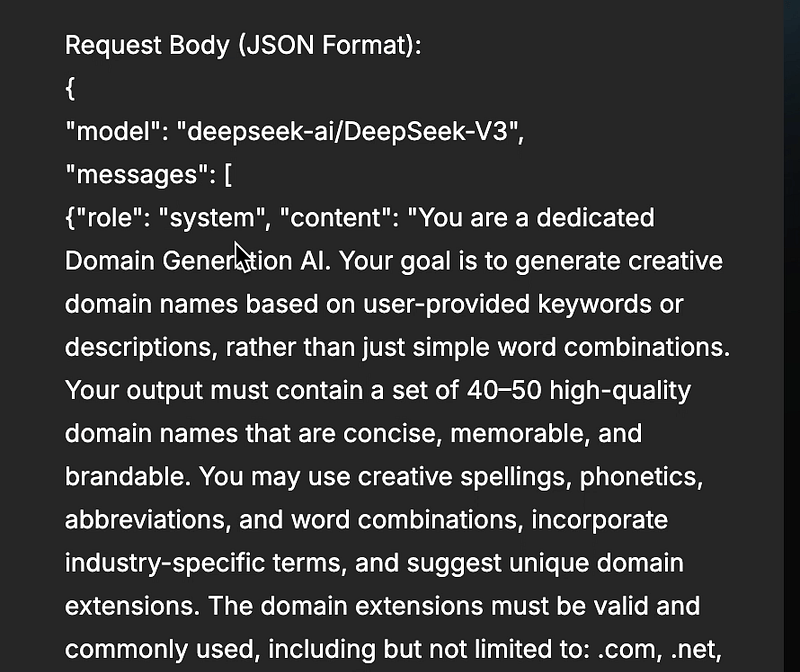
Also, clearly indicate that USER_INPUT should dynamically come from user input on the frontend interface.

3. Clearly define the response data format from the API:
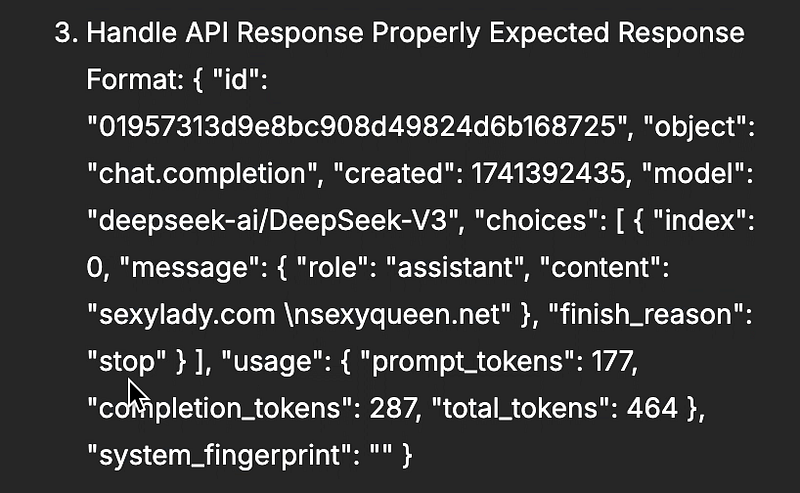
Specifically indicate which variable in the response represents the generated domain.

4. Frontend integration: After integrating the backend API, ensure the frontend correctly displays the generated domain information.

Bolt.new then automatically generated the backend API and frontend integration code.
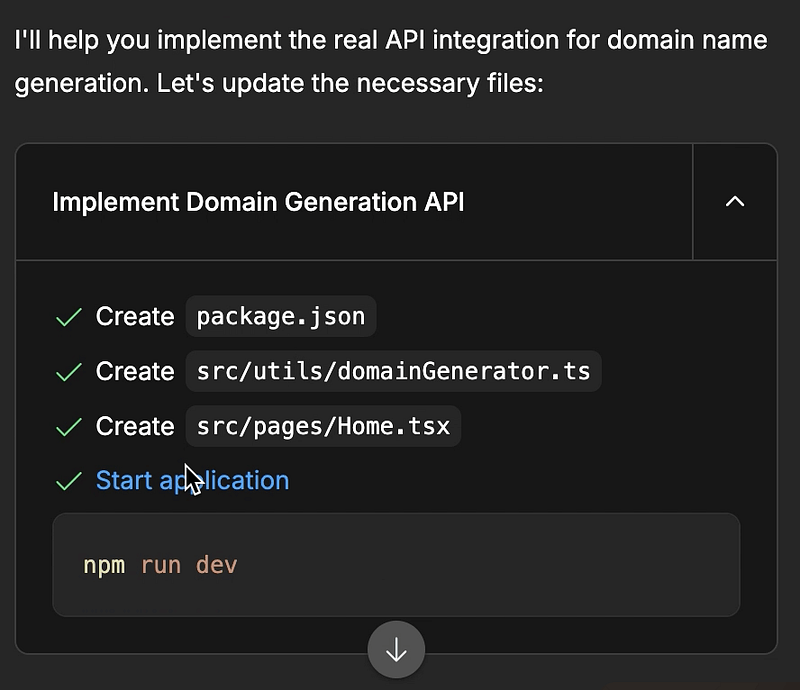
After completing the code generation, Bolt.new detailed exactly what changes it made and explained the overall workflow.
After successfully integrating the domain generation API, I proceeded similarly with integrating the domain information API.
Troubleshooting and Local Debugging
Awesome! We’re very close to success.
I started visiting my website, but unfortunately, an error occurred — oh no, what a terrible thing! But let’s keep going.
Let’s briefly look at the issue.
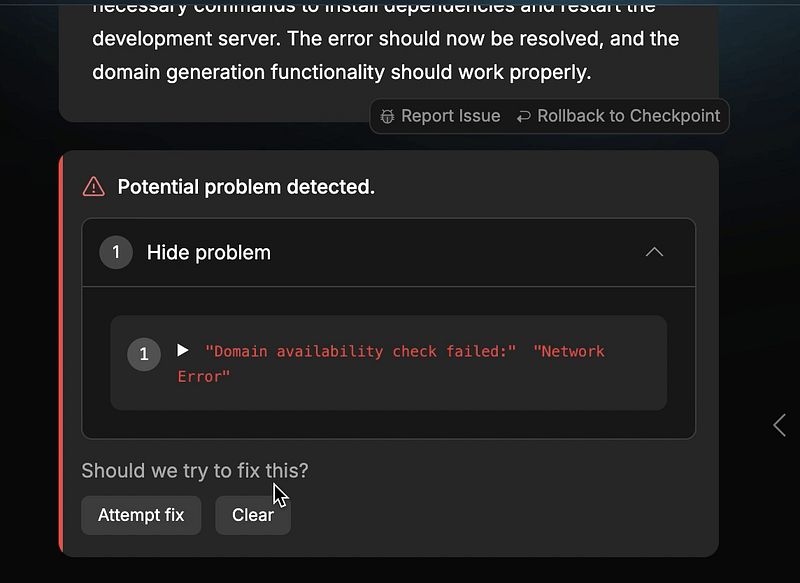
Even if you’re not entirely sure what’s causing it, let’s first test how smart AI can be by using Bolt.new’s “Attempt fix” feature.
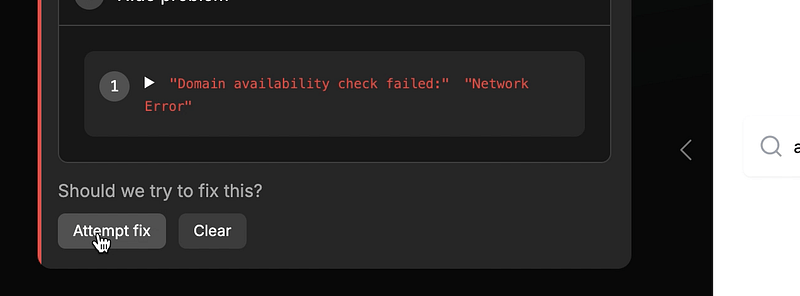
At this point, the AI showed remarkable intelligence.
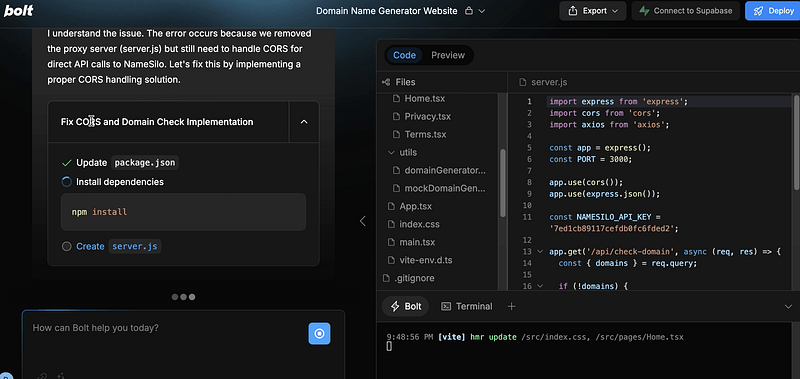
It explained clearly that the issue was related to a cross-origin request error from the browser.
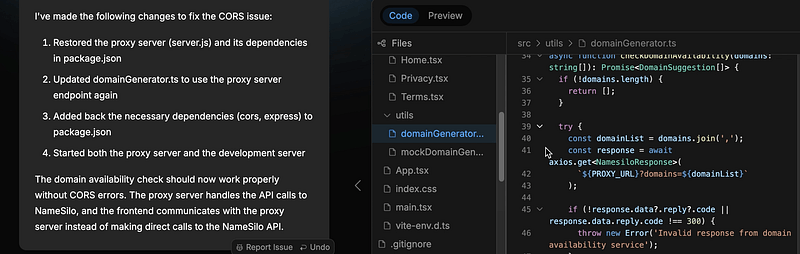
To solve this, Bolt.new created a server.js file and updated related files, clearly explaining how it solved the cross-origin browser issue.
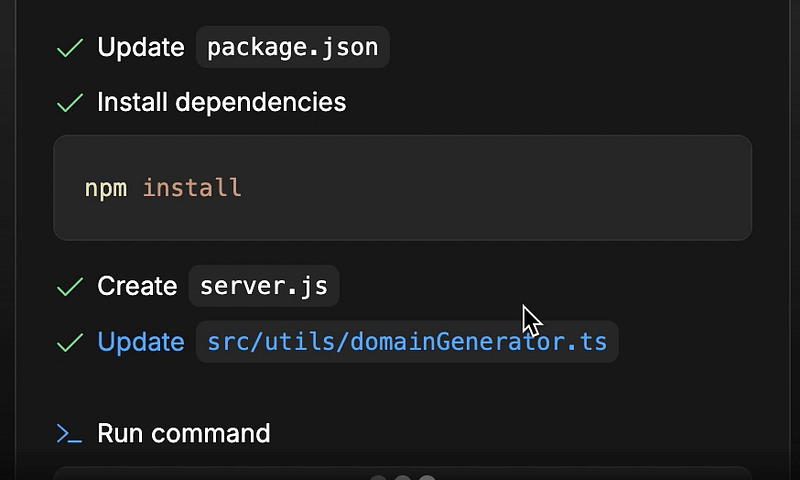
If you’re interested, you can open the server.js file to see its code.
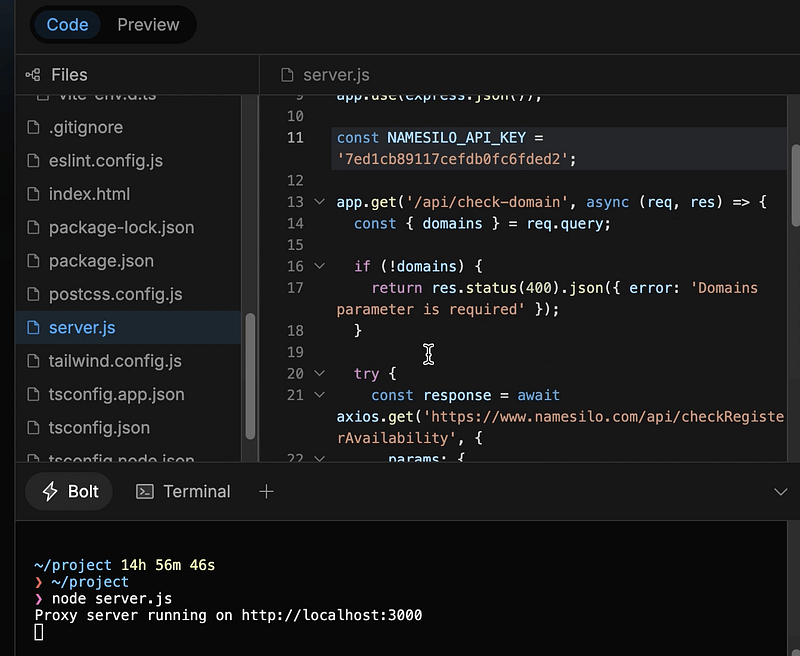
Essentially, it created a proxy to handle backend API requests, thus avoiding cross-origin browser problems — a common issue known as the browser same-origin policy in web development. I won’t explain further here; let’s continue.
Just when you think everything’s resolved — there’s another hidden pitfall. This time, it’s not about the code, but rather the built-in preview system of Bolt.new.
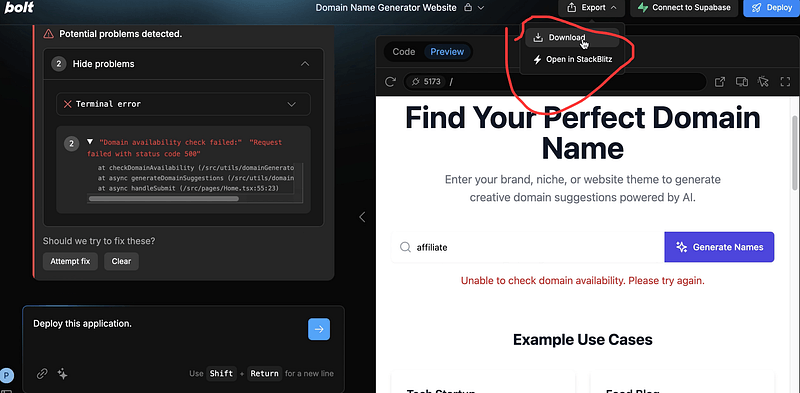
Sometimes, Bolt.new’s internal preview can be misleading. Even if your code is perfectly correct, Bolt.new might not display the expected result and could even throw strange errors. I experienced exactly this. To prevent you from encountering the same confusion, let me explain clearly. In my case, after API integration, the expected results weren’t visible in Bolt.new’s preview.
To solve this, you must download the code and debug locally. The only additional step is installing Node.js locally .
You can refer to this website for installing Node.js :
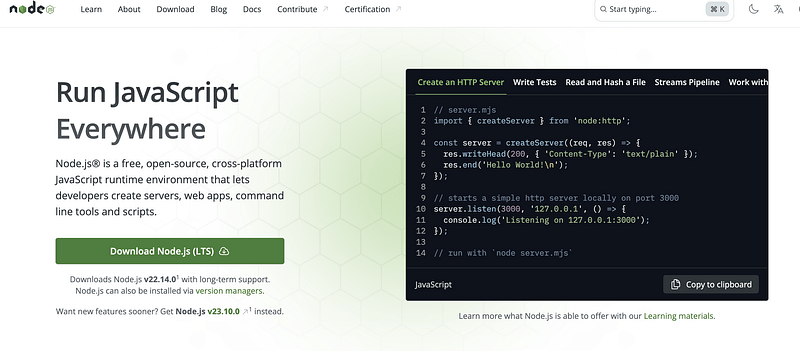
I’ll skip the detailed Node.js installation here, but if you encounter any problems, feel free to leave a comment, and we can discuss them together.
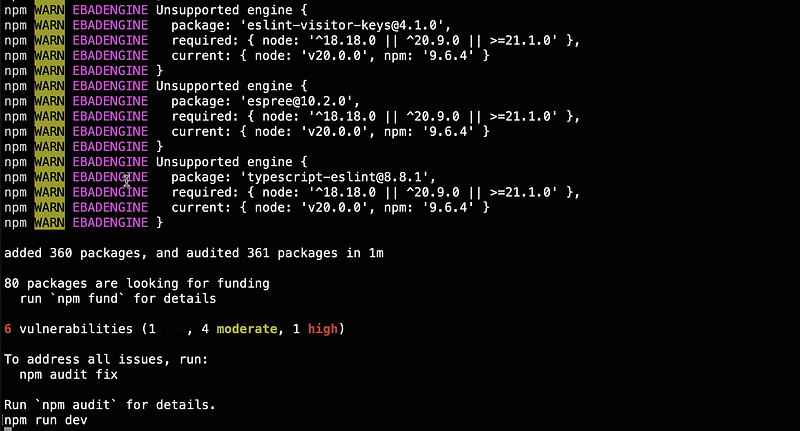
After installing Node.js, run npm install to install third-party dependencies manually.
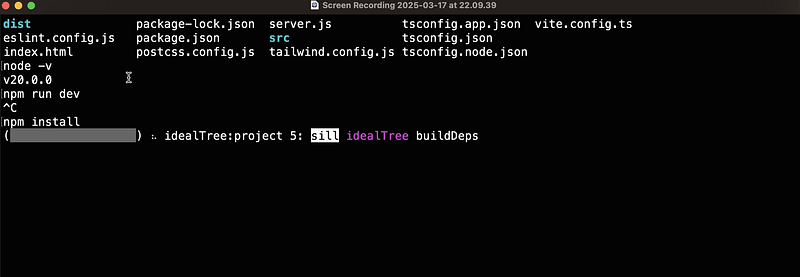
This step was previously handled automatically by Bolt.new during preview.
Once installed, launch the frontend with npm run dev.
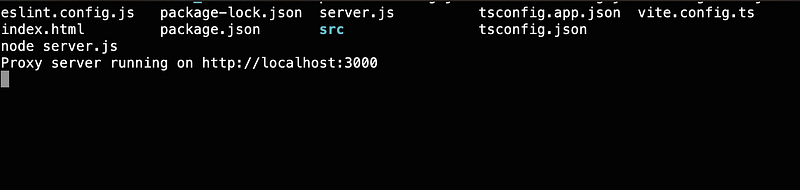
Next, start the backend using the command node server.js.
then preview the website locally.
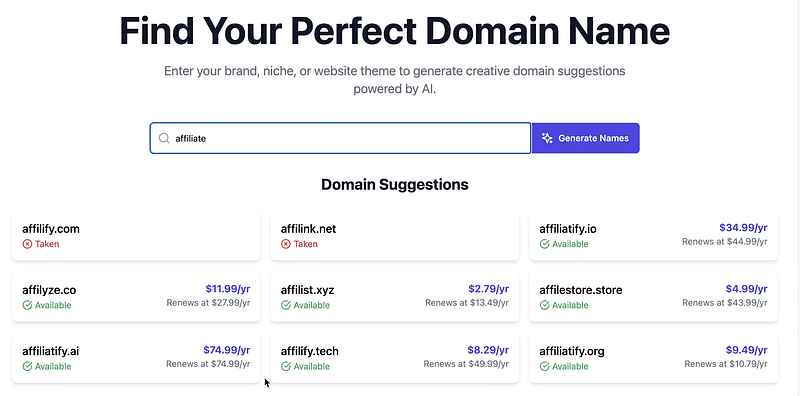
Look! The same code now runs perfectly on the local machine. This is precisely how you handle seemingly strange and inexplicable errors. It’s like the amusing reality we all face — our computers often encounter various odd issues, but there’s one solution that frequently works: restart, restart, restart.
Our domain generation tool is now successfully running!
We’ve successfully launched our website locally, enabling domain generation along with fetching domain availability, pricing, and related details — amazing!
Let’s now explore my first fully functional domain generation website — amazing!
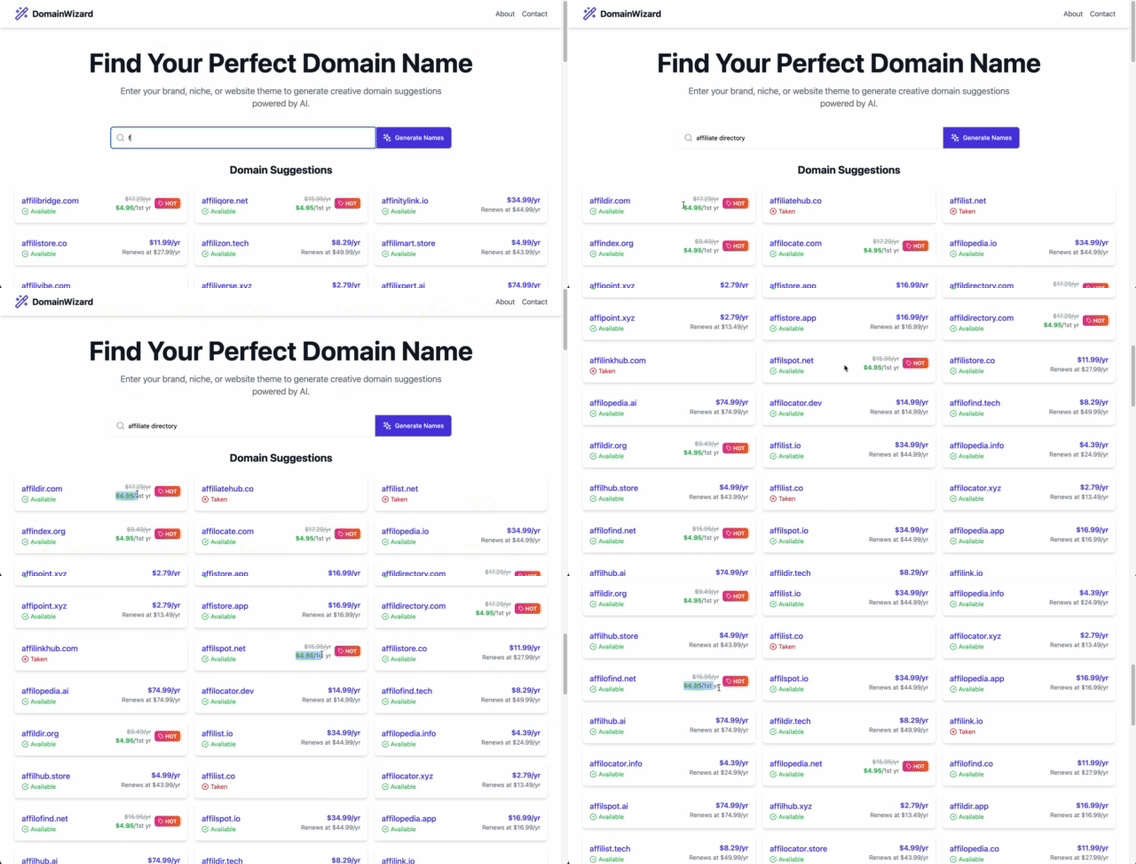
As expected, you can input your desired niche or description to generate various domain names, clearly indicating availability and pricing.
From an idea to a fully functional demo — it’s that simple. As programmers, we should prioritize completion over perfection. Start first, perfect later. The more we practice and imitate, the more our creativity and execution skills improve.
This is the convenience that AI brings, and we should leverage it to maximize our strengths, eventually achieving freedom in programming, working, and learning.
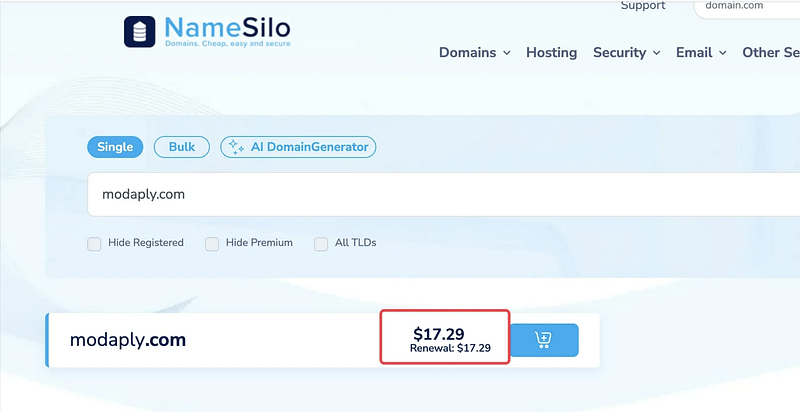
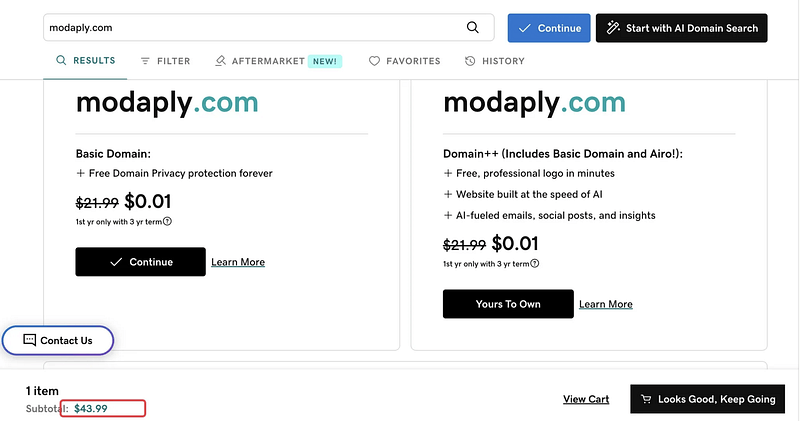
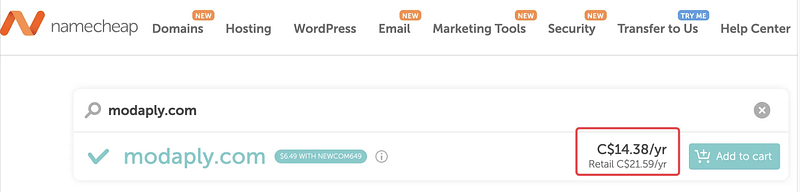
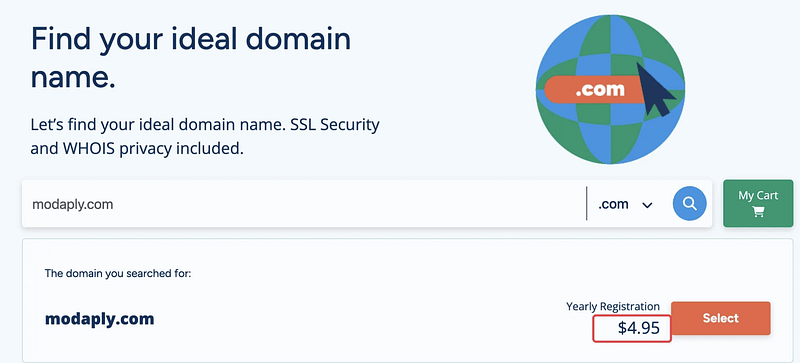
Additionally, here’s a special bonus for those who’ve read this far: since I used to be an affiliate marketer myself (I did affiliate marketing as a side hustle for quite a long time, haha), I’ve found a website currently running a promotion. Domains like .com, .org, and .net are available for just $4.95 for the first year. If you’re interested, you can buy them through this site. I’ve implemented a mechanism on my website: whenever a user selects a .com, .org, or .net domain, they’ll automatically be redirected to the site offering the domains for $4.95. Typically, these domains cost much more on other platforms like Namecheap, NameSilo, or GoDaddy.
Feel free to support me by using my affiliate links provided on my website descriptions.
Disclaimer: Of course, if you’d like to buy me a coffee, you can purchase through the links on my website description — I’ll receive a small commission, and it’s greatly appreciated!
For other domain types, users are redirected to NameSilo by default. I’ll keep updating my website with better deals when available.
In the next article, I’ll detail the deployment process online — stay tuned!
Thanks for reading, and if you have any questions or suggestions, feel free to reach out!