
If you’re curious about LLM-powered web automation, this is a must-read. I tested browser-use myself — and here’s what really happened.
I wasn’t planning to write about this.

But then I stumbled across an open-source project called browser-use.
And it kind of blew my mind.
Never heard of it? That’s okay.
You might’ve heard of something more popular: manus.

Yeah — that AI agent project that blew up not long ago.
Funny thing is, I had never actually used Manus before writing this article.
It used to be invite-only, and I didn’t get an invite. But now it seems they’ve opened up registration.
So I checked out the website, watched some demo videos, and here’s what stood out:
It doesn’t just run on a big language model —
It can actually automate real browser actions. Like…
- Making a PowerPoint
- Doing market research
- Creating social media content
- And giving you a final result — no extra steps needed.
But here’s the twist:
Manus uses browser-use under the hood.
And that’s what makes it so magical.
Basically, browser-use is the framework powering all of those automated browser behaviors.
It allows an AI agent to interact with websites directly — based on your natural language instructions.
In plain English?
You can tell it what to do in a sentence.
And it’ll go click buttons, fill out forms, and finish tasks on real websites.
Sounds cool, right?
I Wanted to Test It for Real
Online reviews of browser-use were mixed — some hype, some complaints.
So I figured: why not test it myself?
For context: I’ve done QA tasks in the past. I’ve worked with automation frameworks like Selenium at work.
So I’m no stranger to browser automation.
I headed to the browser-use GitHub and took a look:
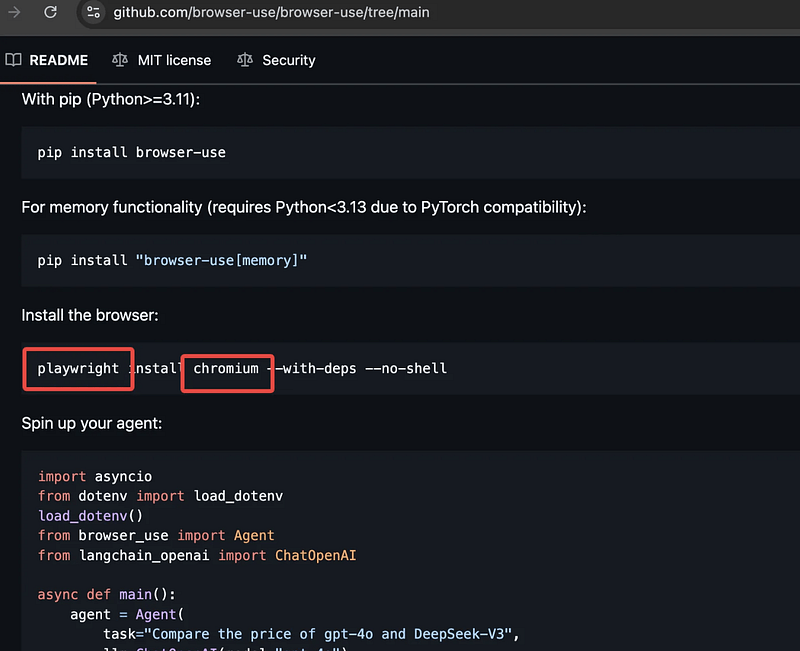
From the dependencies, it’s clear —
browser-use is built on top of the Playwright framework.
If you’ve used Selenium before, Playwright is similar.
Both allow you to script clicks, inputs, and navigation in the browser.
Playwright uses Chromium as its default driver (basically Google Chrome under the hood).
But you can also swap it for Firefox or Safari.
Selenium vs. Playwright — What’s the Difference?
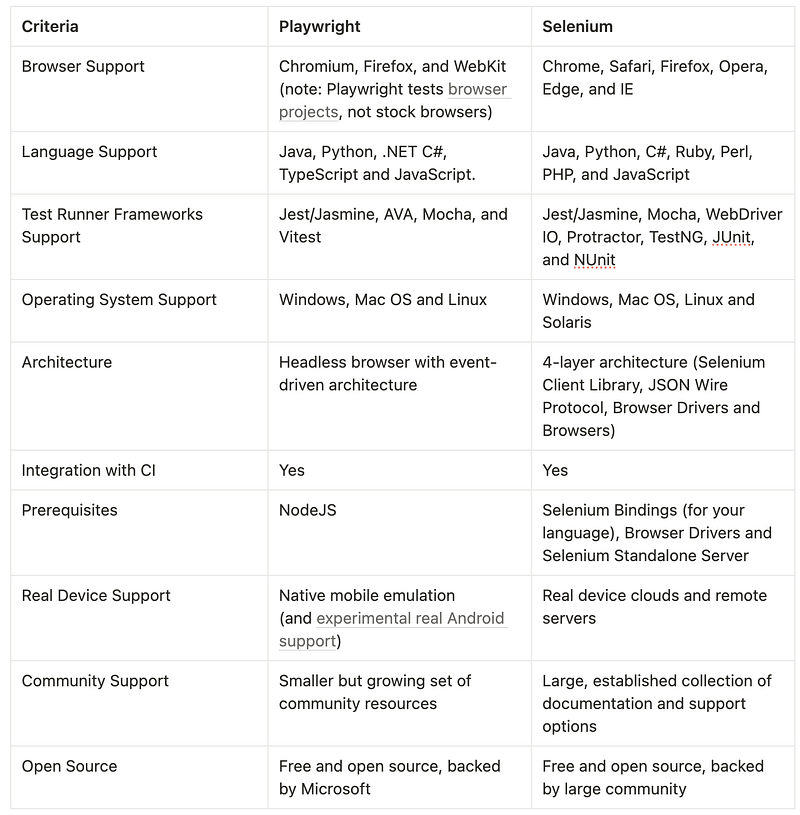
Just so I understood what I was working with, I did a little research on how Selenium compares to Playwright.
Here’s a quick comparison from Applitools:
So What Exactly Is browser-use?
Here’s how I’d summarize it:
It’s a wrapper that combines Playwright + LLMs (like ChatGPT) to let you control websites using plain English.
That’s the magic.
You don’t write code.
You just write what you want the AI to do.
And it goes out and does it — clicks, scrolls, extracts data, whatever you want.
Some wild use cases?
- Search Google for trending news
- Auto-apply to jobs on recruiting websites
- Find the cheapest flight of the day
- Monitor your favorite shows on Netflix
- Filter Amazon products that match your criteria
Basically — if it’s a task you can do on a website, browser-use can probably do it too.
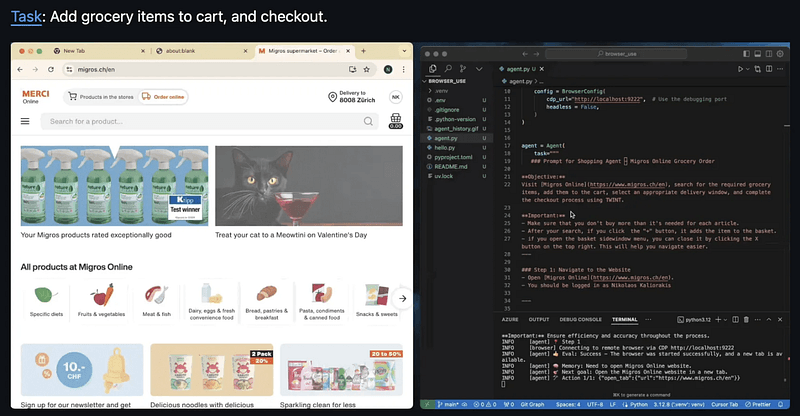
You can check out the Examples section on GitHub to see more:
I Put It to the Test: AI News Summary on Google
I wanted to create a real task to see how this works.
My goal?
Have browser-use search Google for “AI news,” summarize the results from the first page, and return the data in bullet points.
So I asked ChatGPT to help me turn that into a clean prompt.
Here’s what it generated:
Open Google Search. Search for the keyword “AI news.” Review the first page of search results and focus on news-related links (e.g., from news.google.com, bbc.com, cnn.com, techcrunch.com, nytimes.com). For each article, extract the following: title, source, published date (if available), a short 1–2 sentence summary, and the link. Present the results in bullet-point format. Ignore ads or irrelevant content.
I plugged that prompt into the browser-use agent like this:
.........
# Create agent with the model
agent = Agent(
    task = Open Google Search (https://www.google.com). \\
    Search for the keyword “AI news”. Review the first page of \\
    search results and focus on news-related links (e.g., from news.google.com, \\
    bbc.com, cnn.com, techcrunch.com, nytimes.com). For each relevant news \\
    article, extract the following details: title, source (e.g., CNN, BBC), \\
    published date (if available), a short 1–2 sentence summary of the core news \\
    content, and the original link. Present the results in bullet-point format \\
    like this: - Title: AI beats human doctors in diagnosis accuracy Source: \\
    BBC News | Date: 2025-05-17 Summary: A new study shows that AI surpasses \\
    human doctors in diagnostic accuracy under certain scenarios. Link: \\
    https://www.bbc.com/xxx. Ignore any ads or unrelated promotional content.,
    llm=llm
)
async def main():
    await agent.run()
.........
Then I watched it run in real time.
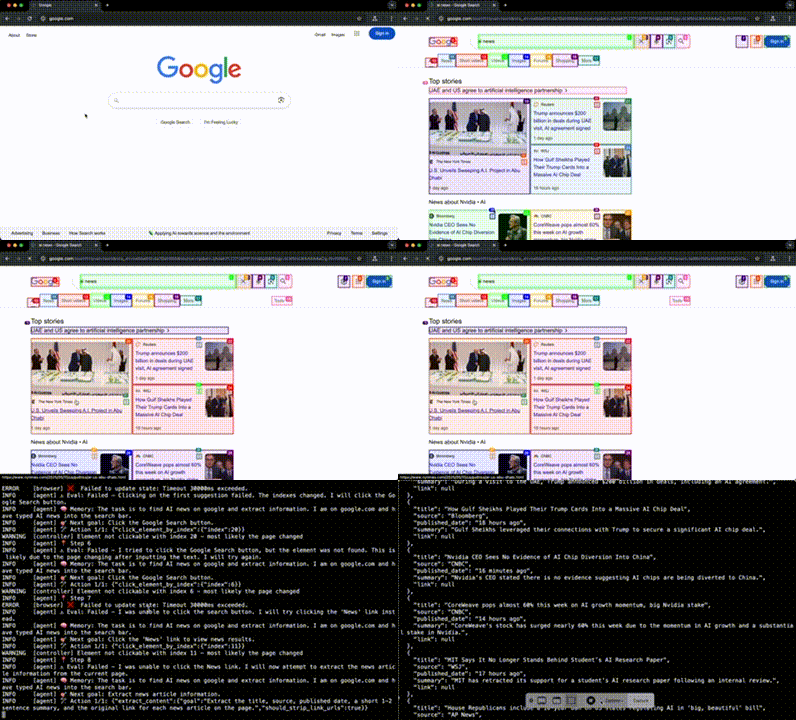
As you watch it run, here’s what’s actually happening under the hood:
browser-use is using Playwright to simulate clicks, analyze HTML elements, and navigate through the page step by step.
You can literally see it parsing the layout, figuring out what to click, and jumping between results.
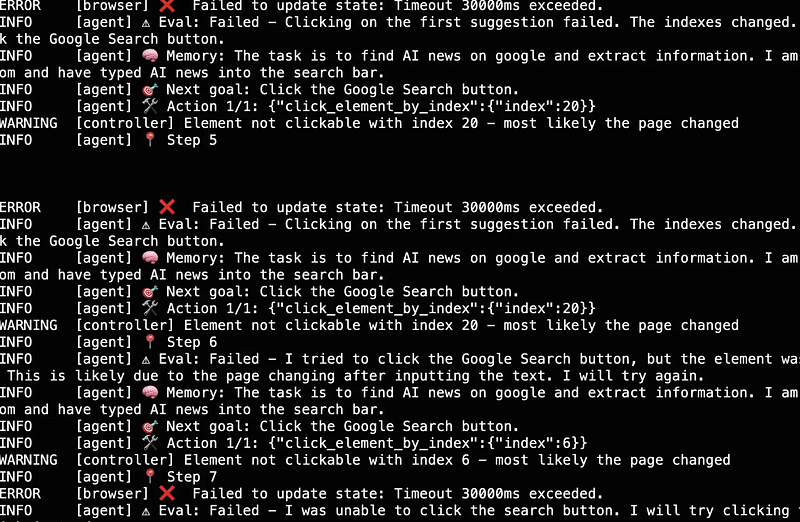
And of course, it runs into errors.
The AI messes up. It tries the wrong action. Something breaks.
But this is where the real power kicks in:
The model learns from its failures.
It reads the error. It adjusts. It tries again.
Over and over — until it gets it right.
Yes, it takes time.
But in the end, it pulled the latest AI news from Google, parsed the results, and formatted them —
Exactly like I asked.
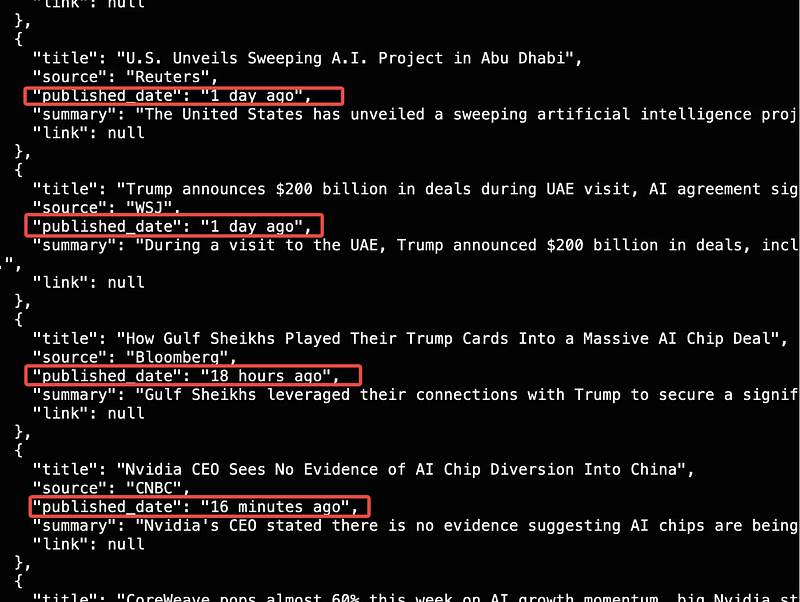
Every time it failed, it read the error message, adapted, and retried.
Eventually, it got the job done.
I had a clean list of AI-related news pulled from Google — exactly what I wanted.
So… Is It Production-Ready?
Not quite.
Here’s the deal:
browser-useworks — but it’s slow.- It’s not reliable enough for production environments.
- The model spends time interpreting the page, retrying actions, and fixing errors.
- If you need results in under 2–3 minutes, you’ll be frustrated.
In those cases, it’s better to write automation scripts using Playwright or Selenium directly.
Code still beats prompts when speed and reliability matter.
But If You’re Just Exploring or Prototyping…
Then yes — it’s pretty amazing.
No code.
Just describe what you want in plain English.
Let the AI do the heavy lifting.
Even if it takes time, it saves your time.
It’s like having a junior developer who writes test cases and runs them for you — All based on a sentence you typed.
That’s a glimpse of the future.
And tools like browser-use are giving us that sneak peek — right now.