
Here’s how I actually got AI to write better React code — step by step.

Let’s be honest — writing production-grade code used to be something only experienced developers could pull off. Clean architecture, reusable functions, scalable patterns? That took years to master.
Not anymore.
Today, with the help of AI coding tools, going from idea to demo takes minutes. You brainstorm. You type a prompt. The AI generates the base code. You refine it, debug it, and ship.
But here’s the catch:
Most people are using AI wrong. And that’s why their code breaks in production.
So if you’ve ever felt like:
- “AI code works, but it’s messy”
- “I can’t trust it in real-world apps”
- “It doesn’t feel like senior-level code”
You’re not alone. I’ve been there too.
This post is about fixing that. I’ll show you exactly how I guide AI to write clean, testable, production-level code.
And once you learn this process — it works for React, Java, Go, PHP, Node.js, you name it.
Let’s get into it.
The Truth About AI Coding Tools
AI tools make it incredibly easy to get started. Turning an idea into something that runs takes minutes. Debugging, fixing, adding features? You’ve got AI on your side.
But what about production?
That’s where most people hit a wall.
If you’re still figuring out how to use AI effectively, I recommend checking out this article where I show how to build a full website from scratch — no prior experience, just smart prompts.
“AI Can’t Write Real Code” — Not Entirely True
I’ve seen a lot of developers complain that AI can’t write code like a human.
They’re right — kind of.
AI-generated code often lacks structure, modularity, and clean separation of concerns. It’s not production-ready. But that doesn’t mean it can’t get there.
The key is learning how to guide the AI — just like you’d guide a junior developer.
And that starts by teaching it what good code actually looks like.
The Example: Teaching AI to Think in Patterns
Let’s walk through a real example.
We’ll use React here, but the same logic applies to other languages.
The following example comes from a React blogger who explained how to refactor code for better quality — one version shows a bad pattern, the other shows how to do it better.
Here’s a “bad” way to build a user profile component:
// Bad
function UserProfile() {
  const [data, setData] = useState(null);
  useEffect(() => {
    fetchUser().then(setData);
  }, []);
  return <div>{data?.name}</div>;
}
Now here’s a better version:
// Better
function useUser() {
  const [data, setData] = useState(null);
  useEffect(() => {
    fetchUser().then(setData);
  }, []);
  return data;
}
function UserProfile() {
  const user = useUser();
  return <div>{user?.name}</div>;
}
Why This Matters
The “bad” version tightly couples data-fetching logic with UI rendering. That might work for a quick demo — but in real-world applications, it quickly becomes a problem.
// Bad
function UserProfile() {
  const [data, setData] = useState(null);
  useEffect(() => {
    fetchUser().then(setData);
  }, []);
  return <div>{data?.name}</div>;
}
Here’s why:
- It violates the single-responsibility principle — each function should do one thing well.
- It’s not reusable — other components can’t share the logic.
- It’s hard to test — there’s no easy way to isolate data behavior.
- It’s harder to read and maintain — debugging becomes a nightmare as complexity grows.
Left unaddressed, these issues will absolutely hurt your product’s stability in production.
It works, but it’s fragile.
The “better” version separates concerns properly. It extracts the user data-fetching logic into its own custom hook, and keeps the UI rendering logic within the component. Each function now does one thing and does it well.
// Better
function useUser() {
  const [data, setData] = useState(null);
  useEffect(() => {
    fetchUser().then(setData);
  }, []);
  return data;
}
function UserProfile() {
  const user = useUser();
  return <div>{user?.name}</div>;
}
This structure not only improves readability, but also makes the code far more reusable. Want to fetch user data somewhere else? Just call useUser().
It also enables more targeted unit testing. You can test useUser and UserProfile independently, which boosts confidence and stability across your codebase.
This is the kind of architecture that scales — and the kind you want AI to learn.
That’s the mindset you want to teach your AI.
Making AI Understand Code Quality
I fired up bolt.new and started building a small student management system using React.
Disclaimer: This post has affiliate links at no cost to you. I may earn a small commission if you use the services I recommend in this pot.
Here’s what the UI looked like:
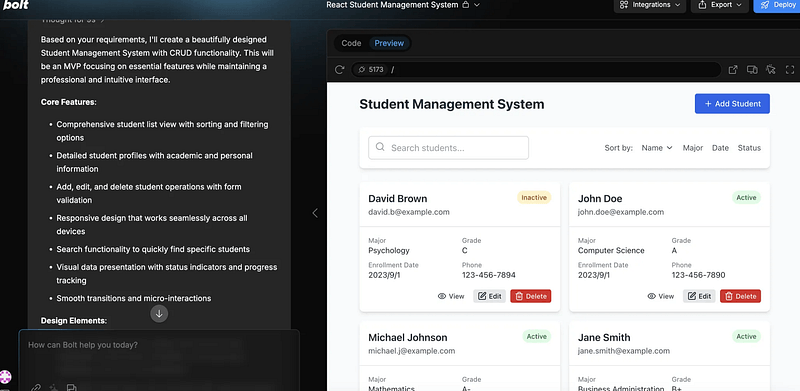
Then I guided Bolt.new to learn this React design pattern. I gave it a prompt like this to help it understand the difference between the two code styles — which, honestly, is pretty easy for AI to grasp.
Below are two react design patterns, one is bad and the other is better.
Please do not modify any code yet and tell me your understanding:
// Bad
function UserProfile() {
  const [data, setData] = useState(null);
  useEffect(() => {
    fetchUser().then(setData);
  }, []);
  return <div>{data?.name}</div>;
}
// Better
function useUser() {
  const [data, setData] = useState(null);
  useEffect(() => {
    fetchUser().then(setData);
  }, []);
  return data;
}
function UserProfile() {
  const user = useUser();
  return <div>{user?.name}</div>;
}
The response?
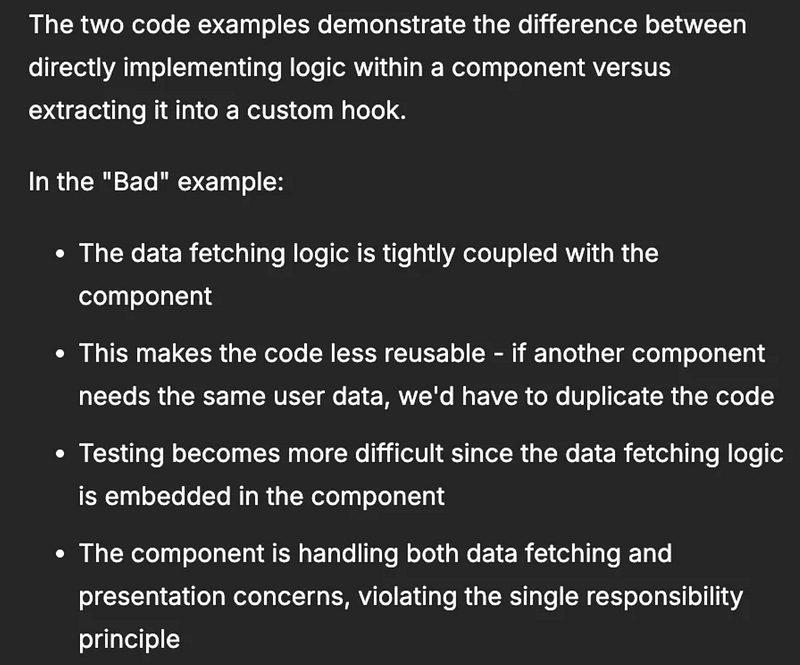
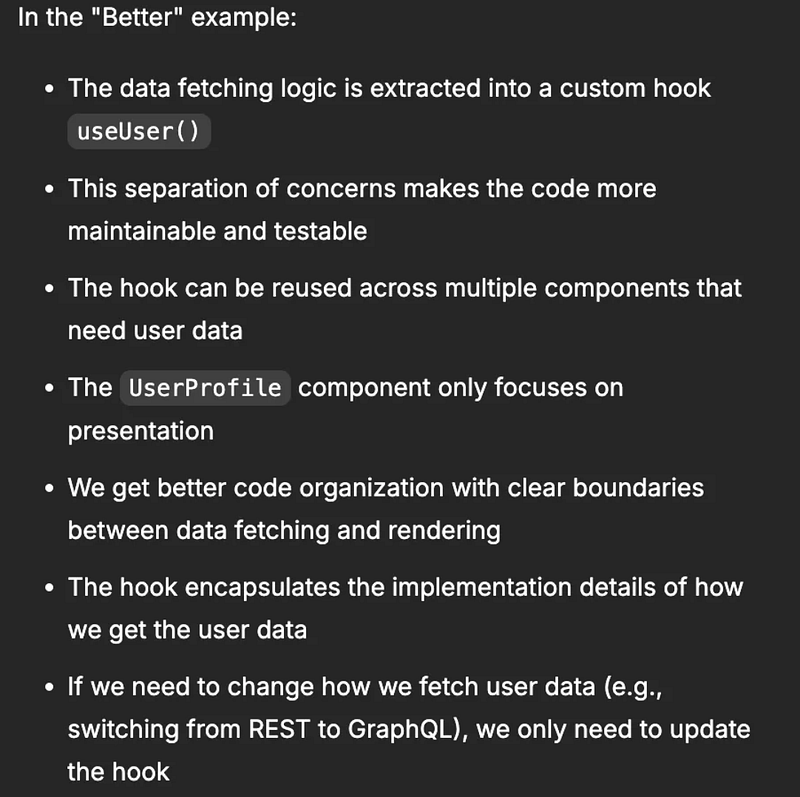
Exactly what I hoped for.It clearly understood the pros and cons of both patterns.
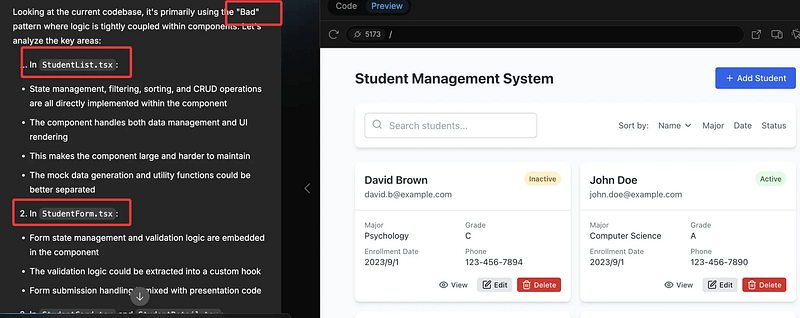
Next I asked the AI to evaluate its own output.
Which pattern did it follow?
It correctly identified it had used the bad one:
Then I told it to refactor.
The result? Three new files created. Two updated.
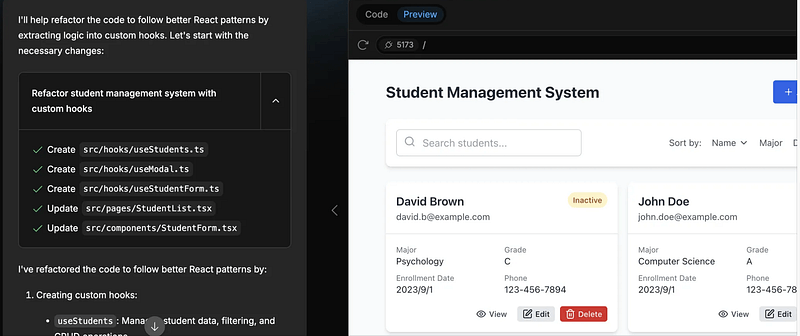
Before and After: The Diff
Let’s compare before vs. after using GitHub’s commit diff view:
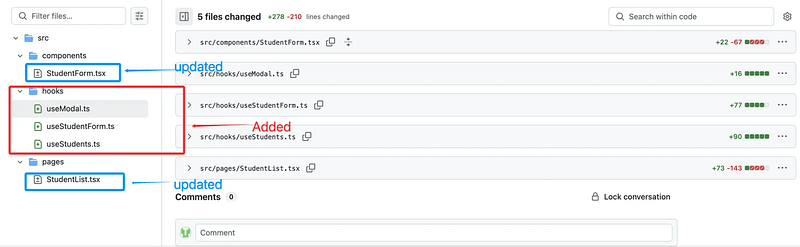
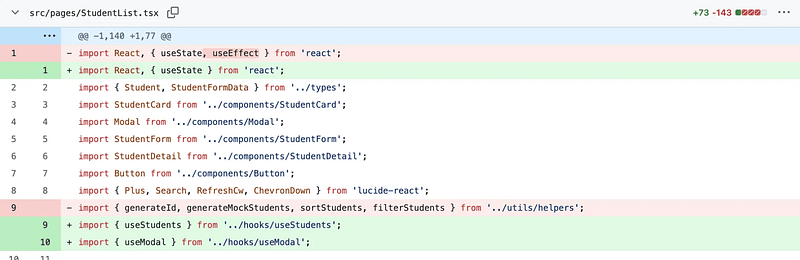
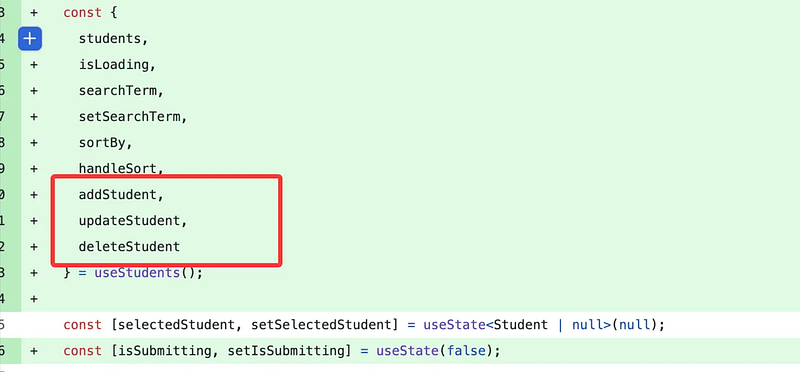
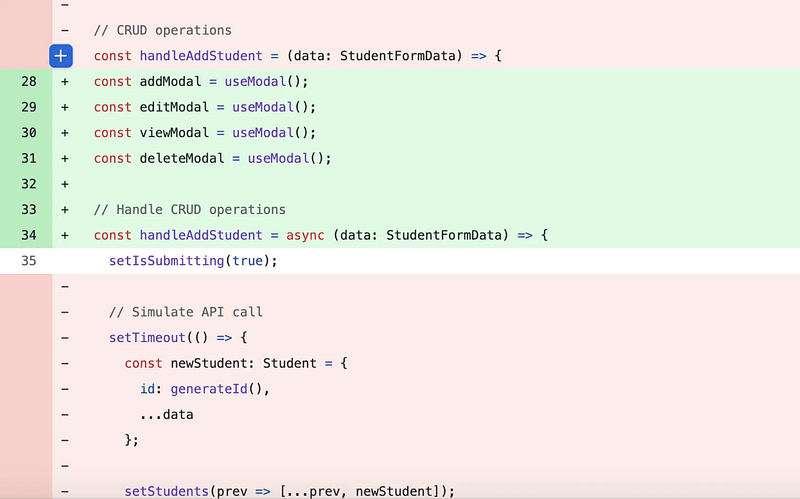
What stood out:
- AI extracted reusable logic into hooks
- Created files like
useModal.ts,useStudents.ts,useStudentForm.ts - Improved modularity, testability, and clarity
This is what you’d expect from a mid-level or even senior developer.
And yes, the AI delivered.
What This Means for You
AI won’t replace expert engineers. But it can help you think like one — if you know how to prompt it right.
If you’re just starting out, you now have the tools to build like someone with 3–5 years of experience.
And if you’re already experienced? AI becomes your coding assistant. Fast. Reliable. Teachable.
The secret is teaching the AI what clean, production-grade code looks like — and holding it to that standard.
You ready?
Then go build something great.
And show the AI how pros really do it.